Indicator Access

Contents
Access:
You can access Indicators through scripting two ways. NOTE: Indicators are READ ONLY. They can be used by scripts, but not changed.
A way to access the indicator so that it performs when the condition is TRUE, is to create a statement like this:
Example: |
|---|
IF myIndicator = 5 THEN PRINT "It is 5" |
Or you can access using the instrument object as follows:
Example: |
|---|
IF instrument.myIndicator = 5 THEN PRINT "It is 5" |
Using the instrument '.' syntax is equivalent to using the indicator directly.
You can access indicators of other instrument objects using instrument variables and the '.' syntax. For the following example assume that an instrument variable called "sp500Index" has been created and set to the data for the S&P 500 stock index.
Example: |
|---|
' When both conditions are TRUE, Go Long on next OPEN IF sp500Index.shortMovingAverage > sp500Index.longMovingAverage AND ENDIF |
System Scoped IPV Data:
One way to access indicators in other blox in your system is to set one of the IPV variables to show a System Data Scope setting. In the other blocks in the system where this IPV variable will be accessed, create a the IPV variable name and then check Defined Elsewhere. This process enables IPV variables to share information anywhere in the system where the same IPV variable name is declared in a block.
Here is an example:
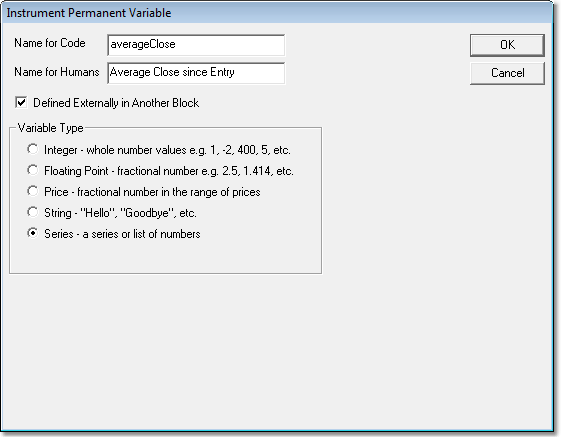
Now you can use this averageClose variable in the block and the value will be consistent across the whole system.
Links: |
|---|
Calculated Indicators, Creating Indicators, Custom Indicators, Indicator Access, Indicator Reference |
See Also: |
Edit Time: 9/26/2020 1:42:59 PM |
Topic ID#: 383 |