Custom Indicators

Contents
To create a Custom Indicator, create a System Scoped Auto-Indexed Instrument Permanent Variable of type Series. Then assign this value in the Update Indicators script.
An example of a custom indicator might be the average close since trade entry. This value cannot be determined pre test, so it cannot be a calculated indicator and must be a custom indicator.
Create a new Auxiliary Block. Create a system scoped auto indexed IPV series variable. Set it to plot. Let's call it averageClose.
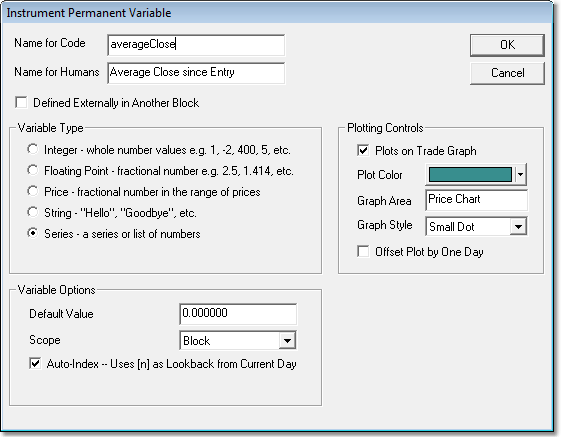
Now in the Update Indicators script section set the created averageClose series value like this:
Example: |
|---|
' We can only compute this value when we are in a position |
This value will be set everyday of the test. It will be set at the start of the instrument bar, so it can be used as part of the order fill process, stop adjustment, risk adjustment, after trading day work as well as entry and exit signals for the next trading day.
Links: |
|---|
Calculated Indicators, Creating Indicators, Custom Indicators, Indicator Access, Indicator Reference |
See Also: |
Edit Time: 9/26/2020 1:41:34 PM |
Topic ID#: 246 |